ADORe and SUMO
This document describes how to get ADORe and SUMO running together using the sumo_bridge ROS 2 node.
sumo_bridge ROS 2 node
The sumo_bridge is a ROS 2 node located in ros2_workspace/src/adore_interfaces/sumo_bridge that bridges SUMO traffic simulation to the ADORe stack via libsumo. SUMO vehicles are published as TrafficParticipantSet messages and the ego vehicle state is injected back into SUMO each simulation step.
Quick Start
Prerequisites
- ADORe built:
make build - Lichtblick running:
cd tools/Lichtblick && make start
1. Start an interactive ADORe CLI session
make cli
2. Navigate to the simulation scenarios directory
cd adore_scenarios/simulation_scenarios
3. Launch a SUMO scenario
For the synthetic 50 m circle track:
ros2 launch sumo_test.launch.py
For the georeferenced OSM scenario with live traffic:
ros2 launch sumo_example.launch.py
4. Open Lichtblick in a Chromium-based browser Open http://localhost:8080/?ds=rosbridge-websocket&ds.url=ws://localhost:9090&layout=Default.json in a Chromium-based browser.
Configuration via Environmental Variables
All variables are set in adore.env.
| Variable | Default | Description |
|---|---|---|
SUMO_BRIDGE_ENABLE |
false |
Set to true to start the bridge |
SUMO_CONFIG_DIRECTORY |
ros2_workspace/src/adore_interfaces/sumo_bridge/sumo_configs |
Path relative to SOURCE_DIRECTORY containing .sumocfg files |
SUMO_BRIDGE_CONFIG_FILE |
demo_sumo_bridge.sumocfg |
Config filename. Sets SUMO_CONFIG_FILE in adore.env |
SUMO_HOME |
/usr/share/sumo |
Path to SUMO installation |
ROS Parameters
| Parameter | Type | Default | Description |
|---|---|---|---|
sumo_config_file |
string |
"" |
Absolute path to the .sumocfg file. Required. |
sumo_step_length |
double |
0.05 |
SUMO simulation step length in seconds |
use_gui |
bool |
false |
Launch sumo-gui instead of headless sumo. Starts immediately without requiring the play button. |
gui_settings_file |
string |
"" |
Path to a SUMO GUI settings XML file |
gui_zoom |
double |
5000.0 |
Initial zoom level for sumo-gui (percentage; 5000 ≈ 10 m street level) |
gui_follow_ego |
bool |
true |
Whether sumo-gui tracks and follows the ego vehicle |
ego_start_position |
string |
"" |
Ego start position as "lat,lon,psi" (psi in radians CCW from east). Derives UTM zone/letter and SUMO coordinates automatically. Required for georeferenced scenarios; omit for local coordinate scenarios. |
ego_tracking_id |
int |
0 |
Tracking ID of the ego vehicle, used for GUI follow and color assignment |
ego_vehicle_color |
string |
"255,255,0" |
Ego vehicle color as "R,G,B" or "R,G,B,A" with values 0–255 |
utm_zone |
int |
32 |
UTM zone number. Used only when ego_start_position is not set. |
utm_letter |
string |
"U" |
UTM zone letter. Used only when ego_start_position is not set. |
use_geo_conversion |
bool |
true |
When false, bypasses UTM/geo conversion and treats all coordinates as SUMO-local. Set to false for synthetic scenarios. |
initial_traffic_count |
int |
0 |
Number of SUMO traffic vehicles to spawn ahead of the ego at startup |
initial_traffic_spacing |
double |
20.0 |
Distance in metres between each spawned traffic vehicle |
Topics
| Topic | Type | Direction | Description |
|---|---|---|---|
traffic_participants |
TrafficParticipantSet |
publish | SUMO vehicles converted to ADORe traffic participants |
vehicle_state/traffic_participant |
TrafficParticipant |
subscribe | Ego vehicle state injected into SUMO each step |
Scenarios
Two example scenarios are provided.
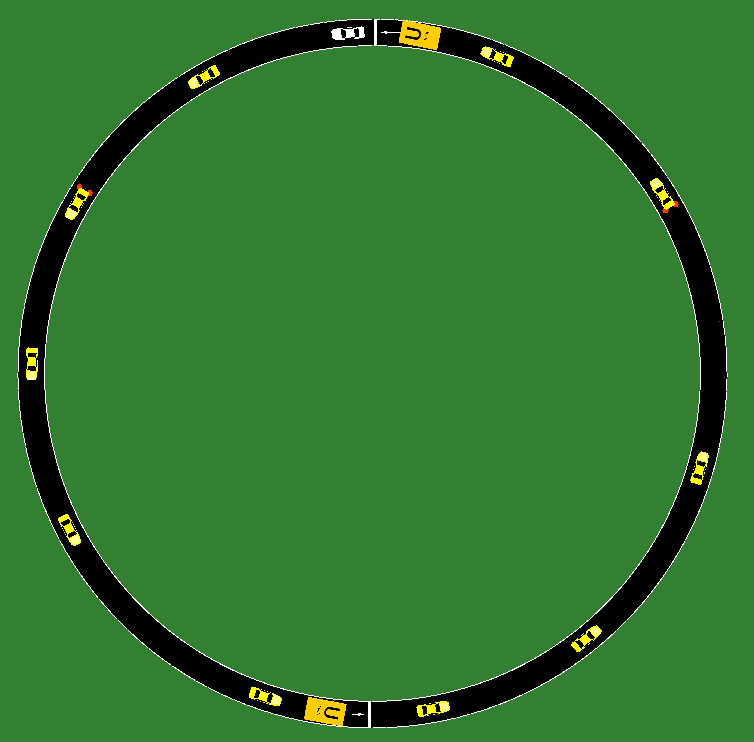
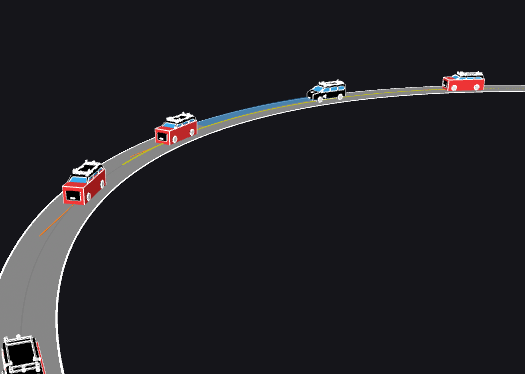
circle50m (sumo_test.launch.py)
A synthetic 50 m radius circular track with no real-world georeferencing. Uses local SUMO coordinates directly with use_geo_conversion: false.
| SUMO GUI | ADORe / Lichtblick |
|---|---|
 |
 |
make cli
cd adore_scenarios/simulation_scenarios
ros2 launch sumo_bridge sumo_test.launch.py
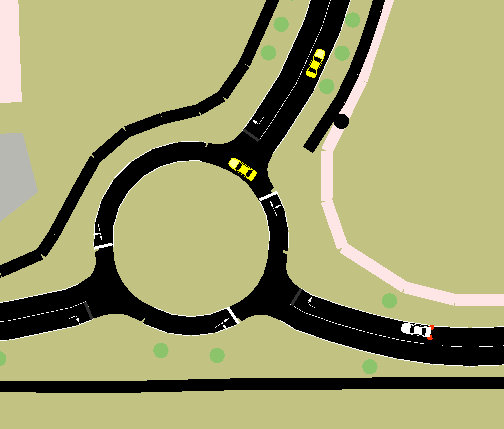
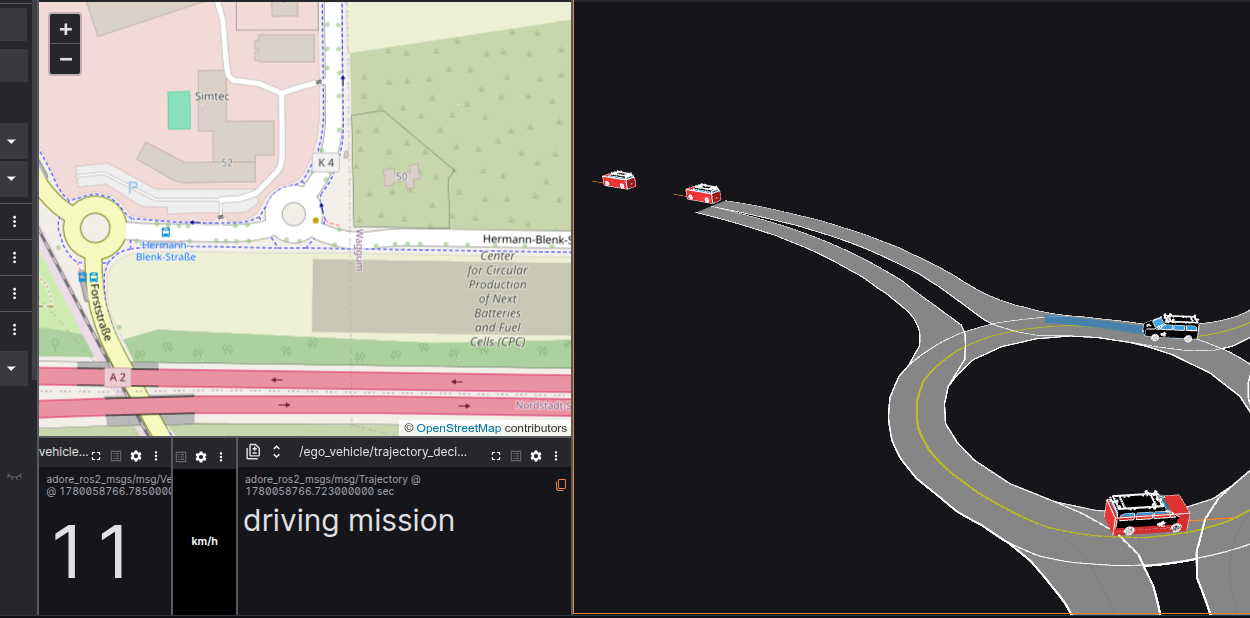
OSM example scenario (sumo_example.launch.py)
A georeferenced OpenStreetMap scenario. The ego start and goal are specified as lat/lon coordinates. Initial traffic vehicles are spawned ahead of the ego and follow randomised routes through the network including roundabouts.
| SUMO GUI | ADORe / Lichtblick |
|---|---|
 |
 |
make cli
cd adore_scenarios/simulation_scenarios
ros2 launch sumo_bridge sumo_example.launch.py
Clock Synchronisation
The bridge synchronises SUMO simulation time to the ROS wall clock. Reference times are captured after the first simulation step completes, ensuring both clocks are anchored at the same point. When use_gui is true, the --start flag is passed to sumo-gui so the simulation begins immediately without requiring the play button.
Coordinate Conventions
| Convention | Details |
|---|---|
ROS yaw (yaw_angle) |
Radians, counter-clockwise from east |
| SUMO heading | Degrees, clockwise from north |
SUMO getPosition |
Returns front bumper; the bridge offsets by half vehicle length to publish and consume centre positions |
| Geo conversion | convertGeo(lon, lat, ...) -- argument order is longitude first |
Initial Traffic Spawning
When initial_traffic_count > 0 the bridge spawns SUMO-controlled vehicles ahead of the ego at startup. Spawn positions are walked along the actual lane geometry so vehicles land on the road regardless of curvature. Each vehicle receives a unique randomised route built by walking the routing graph forward from its spawn edge, weighted toward higher speed-limit roads. Routes are deterministic per vehicle ID across runs.