ADORe Scenario Model Checking With The ADORe Mission Control
Online, offline model checking can be
Online model checking
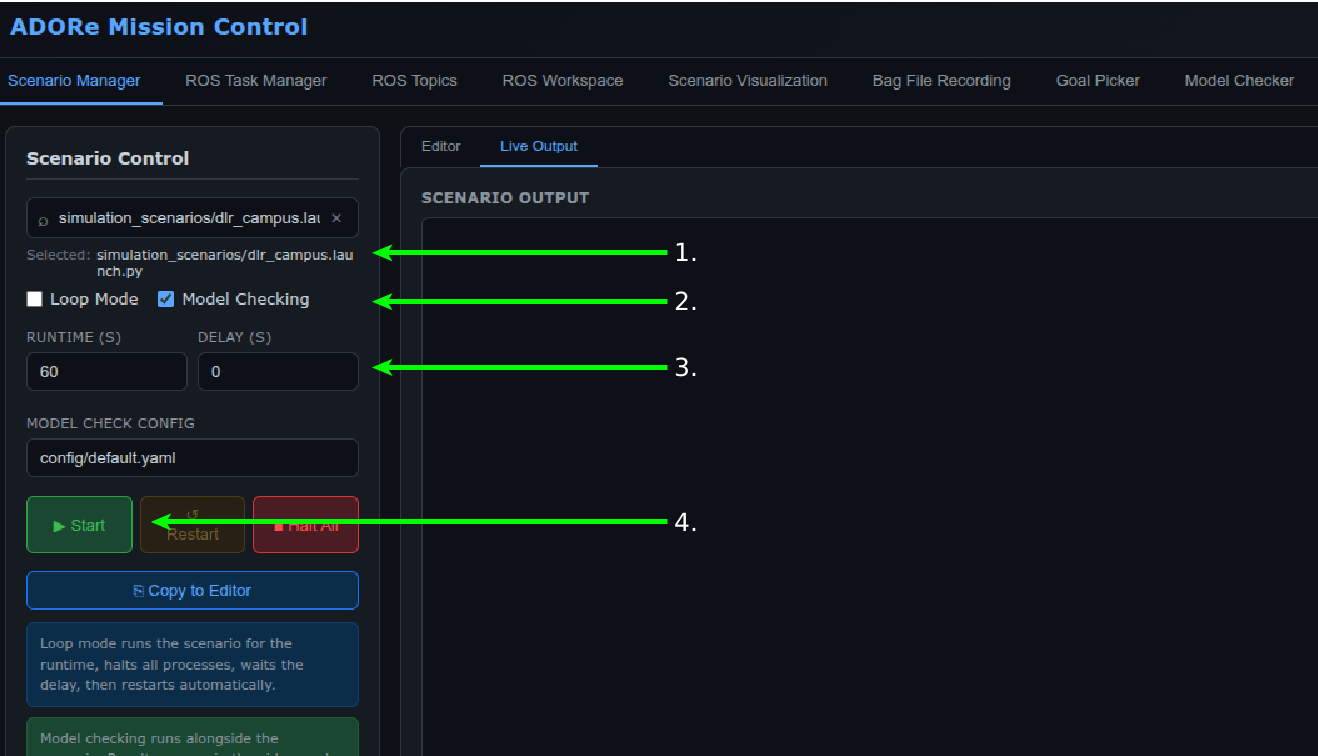
Open the ADORe Mission Control Web Interface: ADORe Mission Control Dashboard
- Select a Scenario
- Enable online model checking by checking the "Model Checking" check box
- Select a sample time (the number of seconds data will be collected before model checking)
- Click the "Play" button to run the scenario and start the model checking.
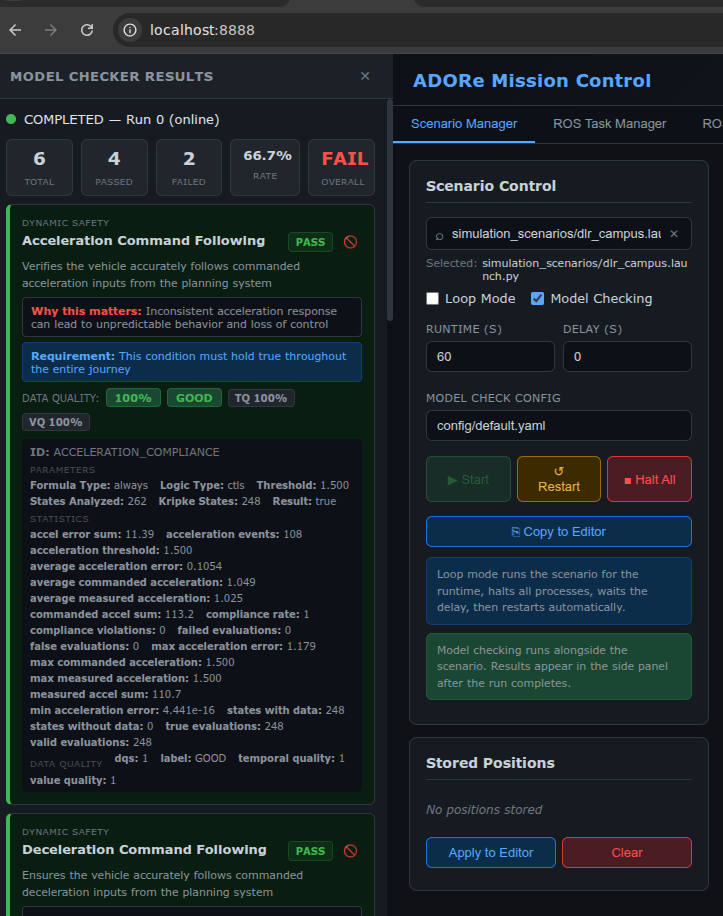
- Wait for the results. Online model checking results will open in the results panel on the left once model checking has finished.
Continuous model checking
- Following the same procedure as "Online model checking" select a scenario, and click play.
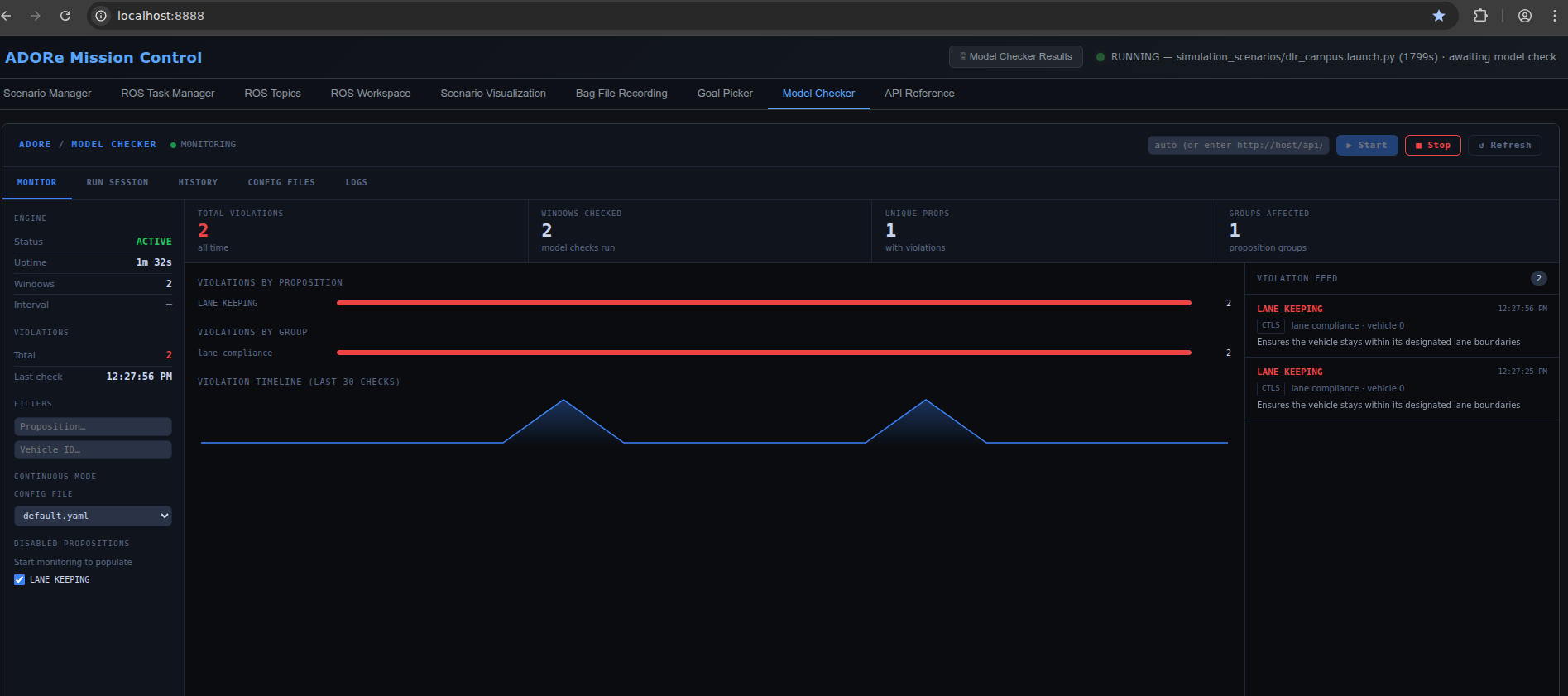
- Click the "Model Checker" tab in the ADORe Mission Control dashboard.
- Click "▶ Start" button.
- Continuous model checking results will display in the "Model Checker" tab while a scenario is running
Offline Model Checking
TODO